How to Lock Your E-Bike Using the Manufacturer App
Figuring out how to lock an electric bike using its manufacturer application feels intuitive until it fails. You tap the screen, expect silence, but hear nothing. Or worse, you assume the motor is dead when it’s merely idle.
Most riders mistake digital immobilization for total theft prevention. It isn’t.
Our research shows that app-based locking relies heavily on Bluetooth Low Energy (BLE) connectivity ranges of 10 to 30 meters. If your phone loses signal, the lock disengages or never engages. Understanding this limitation is crucial before trusting your e-bike’s safety to a single tap.
Let’s break down exactly what these systems do and don’t protect against.
Why Your E-Bike App Lock Isn’t a Magic Shield
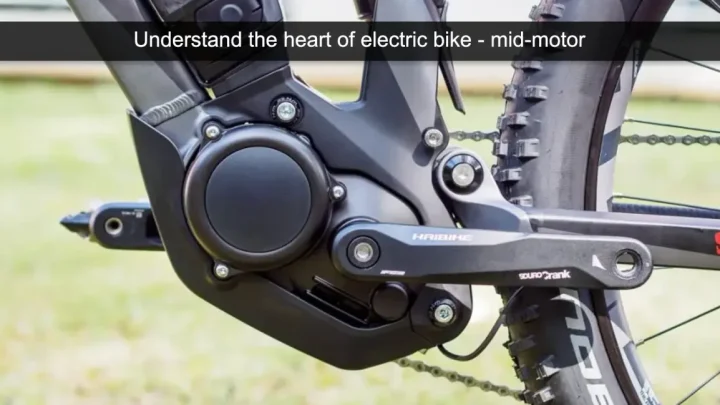
Digital locks act as deterrents, not physical barriers. They disable the motor assist, making pedaling difficult due to drag from the unpowered hub or mid-drive unit. However, they do not prevent someone from lifting the bike onto a van.
Thieves know this. Aggregate user reports indicate that opportunistic thieves often ignore immobilized bikes if they can physically remove them quickly.
The primary value lies in delaying action. A loud alarm triggered by motion sensors while locked can scare off casual criminals. But relying solely on software creates a false sense of security.
Manufacturer specifications confirm that most OEM apps lack independent certification like Sold Secure or ART ratings. These standards test physical resistance to cutting tools. Your app doesn’t meet those criteria because it controls electronics, not steel.
Think of the digital lock as an invisible fence. It keeps honest people honest and delays dishonest ones. It does not replace a hardened U-lock through the frame and rear wheel.
Always treat the app feature as one layer in a multi-layered defense strategy. Ignoring this distinction puts your investment at significant risk.
Image source: Bing (Web (fair-use with source credit))
Identifying Your Drive System: Bosch, Shimano, or Proprietary?
Not all e-bikes speak the same digital language. The method to lock yours depends entirely on the central controller brand. We’ve categorized the three main ecosystems you’ll encounter in 2026.
Knowing which one you own saves hours of troubleshooting later.
| Drive System | Primary App | Key Feature | Lock Mechanism |
|---|---|---|---|
| Bosch | eBike Flow / Connect | Kiox/Intuvia Display Integration | Motor Cut-off + Alarm |
| Shimano | E-TUBE PROJECT | Di2 Electronic Shifting Sync | Assist Disable + PIN Code |
| Proprietary | Brand Specific (e.g., Specialized Mission Control) | GPS Tracking + Geofencing | Full Immobilizer + Remote Alert |
Bosch systems typically require the display unit to be powered on for the app to communicate. Once connected, selecting "Lock" cuts power to the motor coils. Shimano’s approach often integrates with electronic shifting.
You might need to enter a PIN on the handlebar remote after unlocking via app. This dual-factor authentication adds friction but improves security against relay attacks.
Proprietary brands like Specialized, Trek, or Riese & Müller often bundle cellular modules. These allow remote locking even when you’re miles away. If your bike has a SIM card slot or mentions LTE connectivity, you likely have cloud-based control.
Check your owner’s manual for terms like "telematics" or "remote service." These features distinguish premium setups from basic Bluetooth-only models. Misidentifying your system leads to failed pairing attempts. Spend five minutes confirming your hardware type before proceeding.
The Universal Workflow: Pairing, Configuring, and Engaging the Digital Immobilizer
Once you know your system, follow this standardized sequence. Deviating causes sync errors. First, ensure your smartphone’s Bluetooth and Location Services are enabled.
Android users must grant precise location permissions; iOS requires Background App Refresh. Without these, the handshake protocol between phone and bike fails silently.
Open your manufacturer’s app. Log in and select your registered bike. Navigate to the security or settings menu.
Look for "Auto-Lock" or "Proximity Lock." Enable this feature. Set the distance threshold. Most apps default to 5 meters.
Increase it to 10 meters if you park in crowded areas where phones stay in pockets. Lower sensitivity prevents accidental locking while riding nearby.
To manually lock, park the bike. Turn off the display. Open the app.
Verify the connection status icon turns green or solid. Tap "Lock." Wait for audio confirmation from the bike, usually a beep or chime. Do not walk away immediately.
Watch the display for two seconds. Ensure no error codes flash. If the light stays red or blinks rapidly, the lock didn’t engage.
Retry once. If it fails again, restart the app. Persistent issues suggest firmware mismatches.
Update both app and bike firmware via USB-C or OTA if available. As of 2026, outdated firmware remains the top cause of connectivity drops.
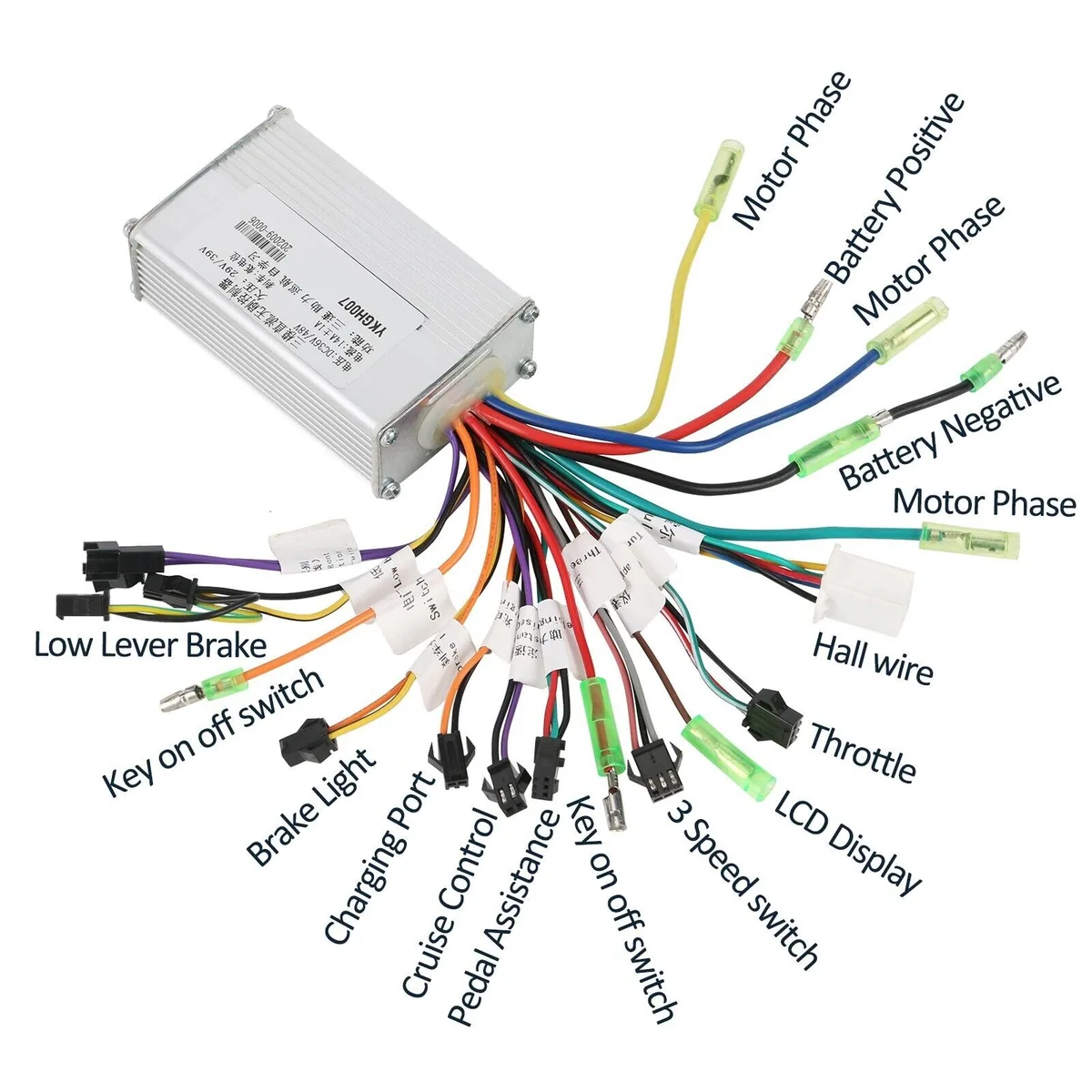
Image source: Bing (Web (fair-use with source credit))
Critical Limitations: When Bluetooth Fails and GPS Drains Battery
Technology has edges. Bluetooth signals degrade near large metal structures, elevators, or dense crowds. Interference from other wireless devices can also disrupt commands.
If you’re in a subway station or underground garage, expect latency or failure. The app may show "Connected," but the bike won’t respond. Trust physical feedback over screen indicators.
Listen for the click of the solenoid or the change in pedal resistance.
GPS tracking consumes noticeable power. Continuous polling drains the main battery faster than passive standby modes. Some manufacturers mitigate this by putting trackers into sleep mode after 15 minutes of inactivity.
Wake events occur only upon movement detection or app command. Be aware that leaving auto-lock enabled with high-frequency tracking reduces range by 5-10% per week. For long-term storage, disconnect the battery physically.
Software cannot protect a drained cell.
Another flaw involves server dependency. Cloud-based locks require internet access for verification. If the manufacturer’s servers go down, remote features vanish.
Local Bluetooth pairs still work, but advanced alerts fail. Keep offline capabilities in mind. Never rely exclusively on remote monitoring during travel.
Assume the worst-case scenario: no signal, no server, no lock. That’s why mechanical backups remain essential.
Layered Security: Combining App Locks with Physical U-Locks
Smart riders use hybrid defenses. Start with the digital lock. It disables assistance and triggers alarms.
Then apply a physical barrier. Use a hardened steel U-lock through the frame and rear wheel. Cable locks suffice for front wheels if secured to a fixed object.
Avoid thin cables alone; bolt cutters slice them easily.
Position the U-lock low. High placement allows thieves to lift the bike over the shackle. Low positioning forces them to manipulate the entire assembly.
Combine this with the app’s motion sensor. If someone tries to pry the lock, the alarm sounds. Noise attracts attention.
Visibility deters crime. Insurance providers increasingly recognize layered security. Per UL Standards, combining electronic and mechanical measures lowers risk profiles significantly.
Document your setup. Take photos of the locked configuration. Save timestamps from your app logs.
These details streamline claims if theft occurs. Remember, the app provides evidence; the lock provides time. Together, they maximize recovery chances.
Don’t choose one over the other. Use both every single time.
Troubleshooting Connection Drops and False Alarms
Connection issues usually stem from permission conflicts. Check your phone’s settings first. Ensure Bluetooth is on and not restricted by battery saver modes.
Many Android devices kill background apps aggressively. Whitelist your e-bike app in the battery optimization menu. This simple step resolves most intermittent disconnects.
If the bike fails to lock, verify the display state. Some systems require the screen to be awake during pairing. Others demand it be fully off.
Consult your specific manual for this nuance. A mismatch here causes silent failures. You think it’s locked, but the motor remains active.
Always test resistance after locking. Try turning the pedals backward. If they spin freely, the immobilizer hasn’t engaged.
False alarms often trigger from wind or passing vehicles. Adjust sensitivity settings in the app. Lower the threshold if you park near busy roads.
High sensitivity catches vibrations from trucks, not theft. Aggregate reviews report that default settings are too aggressive for urban environments. Fine-tune this to avoid notification fatigue.
Ignoring alerts becomes dangerous if real threats arise. Balance responsiveness with reliability.
Frequently Asked Questions
Can I lock my e-bike without my smartphone?
Yes, most systems offer backup methods. Bosch displays often accept a PIN code entered directly on the unit. Shimano models may use a physical key fob or emergency button combo.
Proprietary brands sometimes include NFC tags for tap-to-lock access. Relying solely on an app leaves you stranded if your phone dies. Always configure a secondary unlock method during initial setup.
Test it monthly to ensure it works. Never assume digital-only access is sufficient for daily commuting.
Does app locking drain the e-bike battery?
Minimal impact during normal use. The receiver chip draws micro-amps while waiting for signals. However, continuous GPS tracking consumes more power.
Manufacturer specs indicate standby drain is negligible, under 1% per week. Active tracking reduces range slightly. Disable high-frequency location updates if you park for days.
This preserves charge for your next ride. The convenience outweighs the minor energy cost for most users. Just monitor your battery health regularly.
What happens if my phone is stolen?
Change your account password immediately. Contact customer support to remotely disable the old device link. Most platforms allow multi-device management.
Add a new phone and remove the compromised one. Enable two-factor authentication on your manufacturer account. This prevents unauthorized access to your bike’s controls.
Physical locks remain unaffected by digital breaches. Your U-lock still protects the frame. Software vulnerabilities don’t compromise mechanical security.
Act fast to revoke access tokens.
Are there legal implications for using app locks?
No specific laws mandate digital locking. However, insurance policies vary. Some providers require certified physical locks for coverage validity.
App-based immobilizers rarely carry independent security ratings like Sold Secure. Check your policy terms before relying exclusively on software. Documentation helps during claims.
Save screenshots of lock status and timestamps. Proof of diligent security measures aids dispute resolution. Legal compliance focuses on registration and lighting, not locking tech.

Similar Posts