How to Transfer E-Bike Ride History Between Apps
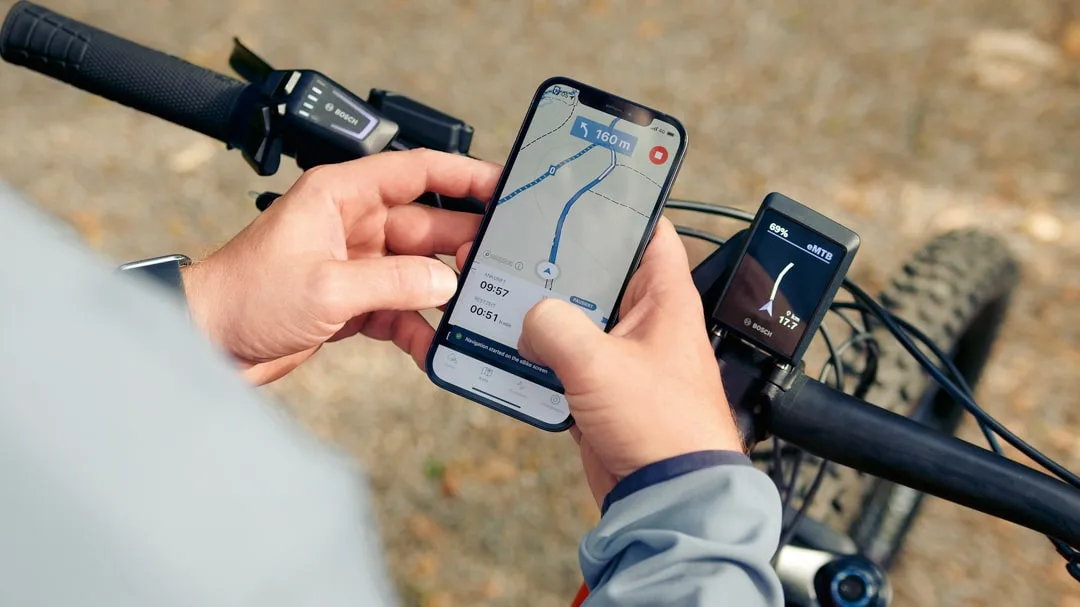
Figuring out how to transfer electric bike ride history between applications is rarely as simple as clicking "export." Most major e-bike manufacturers lock their data inside proprietary ecosystems. This means your Bosch or Shimano records don't talk directly to Strava or Garmin without help. You’re stuck with fragmented stats across different apps.
The solution usually involves bridging platforms or extracting raw files. As of 2026, few brands offer native cross-app syncing. You’ll likely need to use an aggregator like Strava as a middleman.
Or you might have to dig into file formats like .GPX and .FIT. Let’s break down exactly why this happens.
Quick Answer
To transfer electric bike ride history between applications, you typically cannot export directly from one manufacturer app to another. Instead, sync your rides to a universal aggregator like Strava or Garmin Connect first. Then, import those aggregated records into your new destination app.
This bridge method preserves most metadata while bypassing vendor-specific locks.
Why Your E-Bike App Won’t Let You Just “Export” Everything
E-bike manufacturers view ride data as intellectual property. They design closed loops to keep you engaged in their ecosystem. The Bosch eBike Flow app, for instance, stores detailed assist-level usage and battery health metrics locally.
These specific data points aren’t standardized in public fitness protocols.
Consequently, direct export buttons are often hidden or limited. Many apps only allow exporting single rides rather than bulk histories. This forces users to rely on third-party aggregators.
These platforms act as neutral ground where diverse data streams converge. Understanding this restriction saves you hours of fruitless searching in settings menus. It clarifies that the limitation is intentional, not a bug.
The Three Real Paths to Moving Ride History (And Which One Fits You)
You have three viable options depending on your technical comfort level. Each path trades convenience for data fidelity. Choosing the wrong one leads to lost metrics or corrupted timelines.
We’ve categorized them by complexity and reliability below.
Path 1: The Aggregator Bridge (Strava/Garmin Connect)
This is the most common and reliable method for average riders. You connect your e-bike app to Strava or Garmin Connect via API authorization. The aggregator pulls your historical rides automatically.
Then, you authorize your new target app to pull from that same aggregator.
- Pros: Preserves route maps, distance, duration, and elevation accurately. Handles bulk transfers seamlessly.
- Cons: Often strips specialized e-bike data like assist mode percentages or battery voltage logs. Requires active subscriptions on some platforms for full history access.
Path 2: Direct File Export (.GPX/.FIT) for Power Users
If you need raw control, you can manually export files. Some advanced apps allow downloading individual rides as .GPX or .FIT files. You then upload these files to your new platform.
This method is tedious for large libraries but offers precision.
- Pros: Retains more granular data if using .FIT format. No intermediary account needed.
- Cons: Extremely time-consuming for hundreds of rides. Risk of duplicate entries if timestamps clash. Not all apps support importing external files easily.
Path 3: Manual Re-entry or Support Tickets (The Last Resort)
For locked-down systems with no export feature, contact customer support. Request a data dump under GDPR or local privacy laws. Alternatively, manually log key milestones.
This is impractical for daily commuters but necessary for legal compliance cases.
- Pros: Guarantees official record retrieval.
- Cons: Slow response times. High effort for manual entry. Limited utility for trend analysis.
| Method | Best For | Data Fidelity | Effort Level |
|---|---|---|---|
| Aggregator Bridge | Casual riders, switchers | Medium (loses e-bike specifics) | Low |
| Direct File Export | Analysts, tech-savvy users | High (retains .FIT metrics) | High |
| Support Ticket | Legal/compliance needs | Variable | Very High |
Step-by-Step Workflow: Transferring Data Without Losing Metrics
Follow this sequence to minimize errors. Rushing leads to duplicates or missing segments. We recommend starting with a small batch test before committing to a full library transfer.
- Audit Your Source App. Check if it supports bulk export. Look for "Settings" > "Data Privacy" > "Export My Data." Note the available formats.
- Set Up the Bridge Account. Create a free Strava or Garmin Connect account if you don’t have one. Ensure it’s set to receive data from your e-bike app.
- Authorize Connections. Link your e-bike app to the bridge. Grant permission for read-only access to your activity history. Wait for the initial sync to complete. This can take up to 48 hours for large datasets.
- Verify Sync Integrity. Spot-check five recent rides. Compare distance and start times against your original app. Fix any discrepancies now.
- Link Destination App. Connect your new preferred app to the bridge account. Authorize it to import activities.
- Initiate Import. Trigger the import process. Monitor progress closely. Do not disconnect devices during this phase.
- Clean Up Duplicates. Use the destination app’s merge tool to remove overlapping entries. This ensures accurate lifetime stats.
Critical Metadata Losses to Expect During Transfer
Not all data survives the journey. Standard fitness protocols prioritize human power output over motor assistance. You will likely lose specific e-bike telemetry unless you use raw .FIT files.
Here’s what typically disappears when using aggregator bridges.
- Assist Mode Percentages: Detailed breakdowns of Eco vs. Turbo usage are often stripped. Aggregators see total power, not source distribution.
- Battery Voltage Curves: Real-time voltage drops are too granular for standard GPX files. You’ll lose insight into battery degradation trends.
- Motor Temperature Logs: Overheating events recorded by the controller are rarely passed through. This hides potential maintenance issues.
- Trip Segmentation: Multi-day tours may split incorrectly if timezone changes occur mid-route. Always verify start/end points.
Per Garmin FIT SDK documentation, the .FIT format retains richer sensor data compared to .GPX. If preserving motor diagnostics matters to you, avoid GPX exports entirely. Stick to .FIT whenever possible.
However, note that many consumer-facing apps still struggle to parse complex .FIT extensions correctly.
Common Mistakes That Corrupt Your Historical Records
Users often rush the sync process, leading to irreversible data fragmentation. One frequent error is initiating a bulk import while the source app is still uploading new rides. This creates race conditions where timestamps overlap incorrectly.
The destination app then merges distinct events into single, corrupted entries.
Another critical mistake involves ignoring timezone settings during manual file uploads. If your .GPX files were exported in UTC but imported into an app expecting local time, every ride shifts by several hours. This misalignment ruins training load calculations and weekly summaries.
Always verify that both source and destination apps use identical time zones before transferring large batches.
Duplicate handling is also frequently overlooked. Many aggregators do not automatically detect if a ride already exists in the target database. You end up with double-counted distances and inflated lifetime stats.
Check for merge tools immediately after import. If none exist, you’ll need to manually delete redundant entries one by one.
Finally, relying solely on Bluetooth for transfer can fail silently. Weak signals or interference from other devices may drop packets mid-sync. The app might report success even though only half the data arrived.
Always cross-reference total ride counts against your original library. Discrepancies here indicate incomplete transfers that require restarting the entire batch.
When to Stop Trying and Accept Vendor Lock-In
Sometimes, the cost of effort outweighs the benefit of preserved history. If you’re switching from a closed system like Bosch eBike Flow to a generic fitness tracker without API access, direct migration may be impossible. In these cases, accepting partial data loss is pragmatic.
Focus on future consistency rather than past perfection.
Consider stopping if the export function requires a paid subscription tier you don’t intend to maintain long-term. Paying $10/month just to unlock old data rarely makes financial sense. Instead, archive what you have via screenshots or PDF reports.
These static records serve as proof of mileage for resale value or warranty claims. They lack analytical depth but preserve essential facts.
You should also halt efforts if metadata fidelity drops below usable thresholds. Losing assist-mode percentages renders e-bike specific analytics meaningless. If your goal is optimizing battery life or motor efficiency, generic distance data won’t help.
Switching ecosystems means adopting new metrics anyway. Embrace the fresh start rather than clinging to incompatible legacy formats.
Lastly, evaluate legal rights under GDPR Article 20. While you have a right to data portability, manufacturers define "portable" narrowly. If they provide only non-machine-readable formats, further extraction attempts yield diminishing returns.
Document the refusal if needed for compliance audits, then move forward. Your next ride matters more than your last thousand.

Similar Posts